应用程序部署
部署应用程序
为了将应用了AppGuard SDK的IPA提交到App Store并进行分发,最终需要在AppGuard Manager中应用AppGuard Sign。为了确保IPA篡改检测功能正常工作,AppGuard Sign是必需的。
如果不在IPA上应用AppGuard Sign,应用程序可能会因安全策略而异常终止。
应用AppGuard Sign
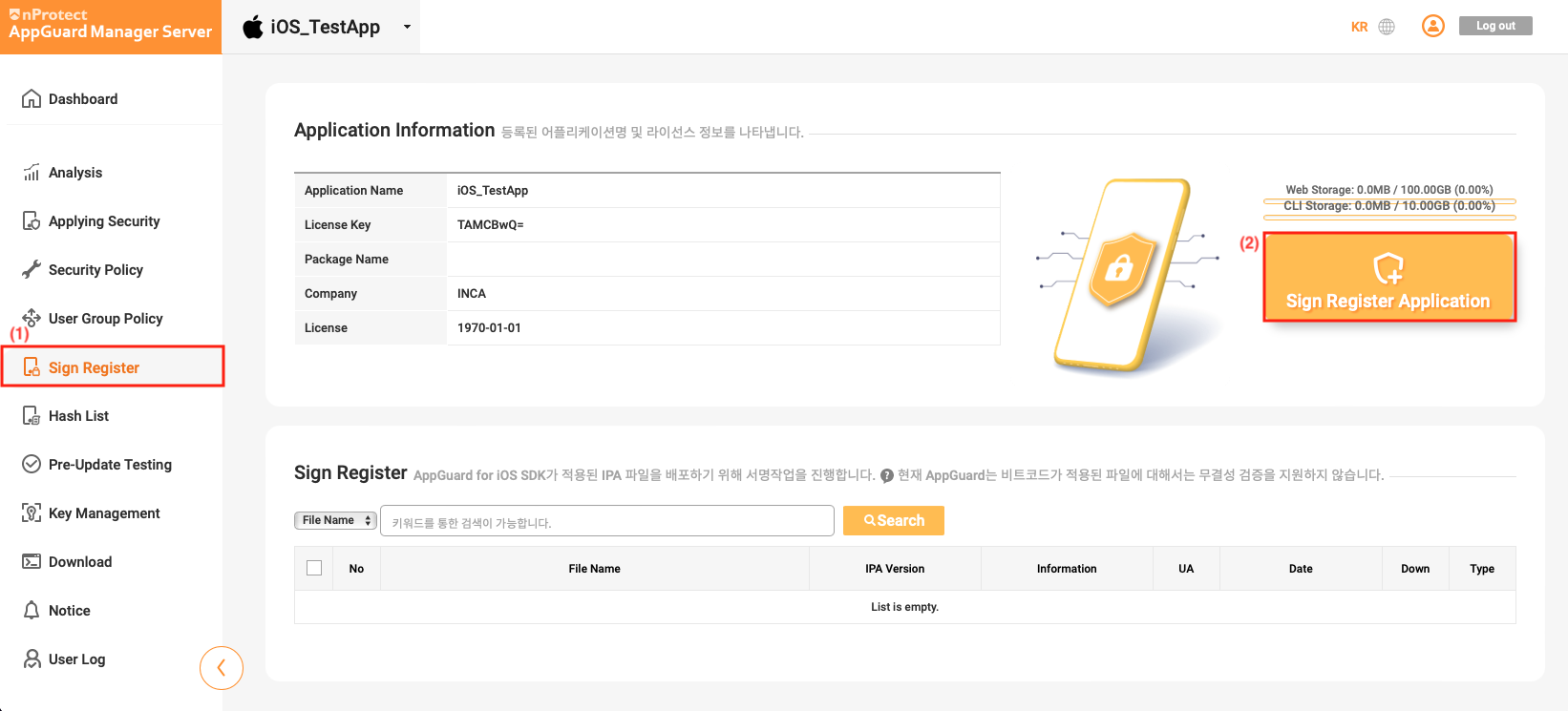
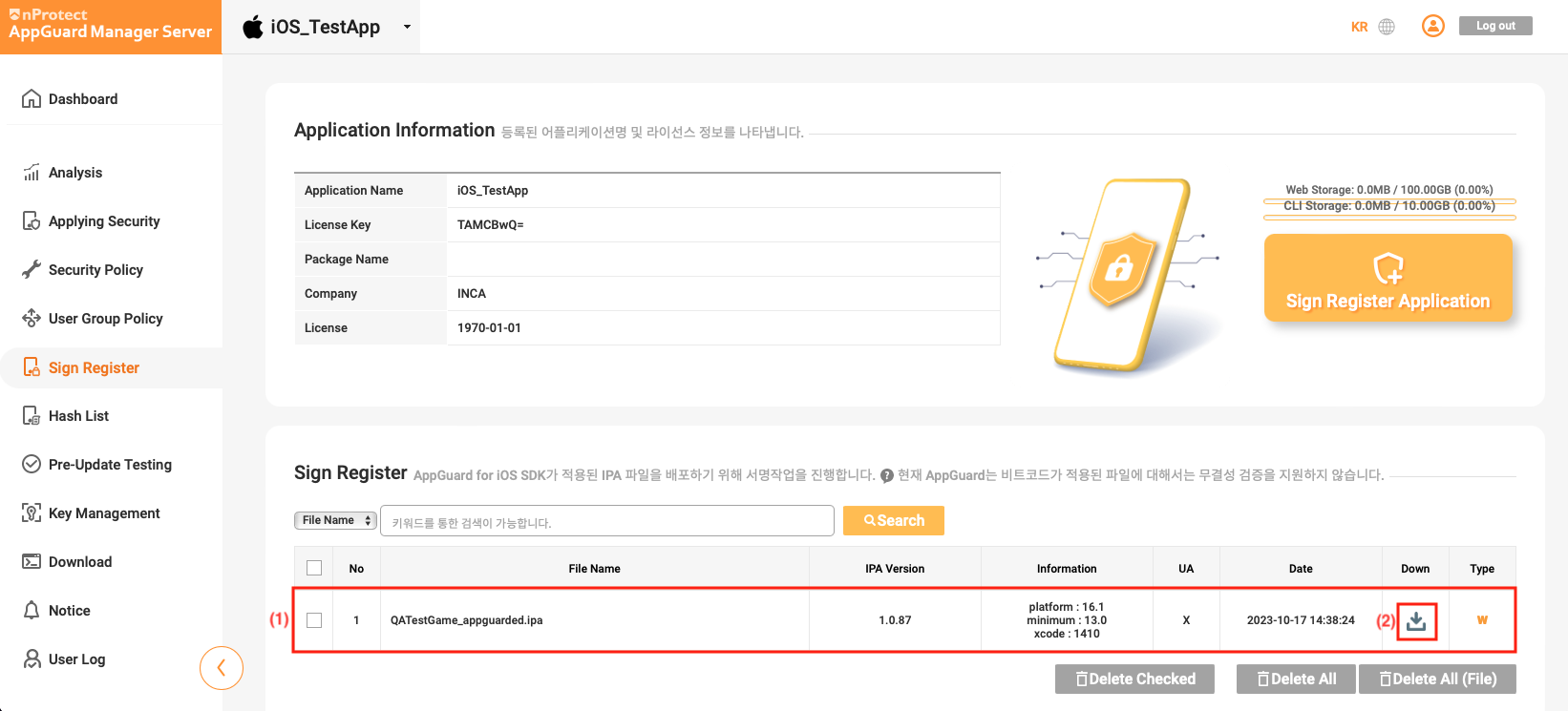
在AppGuard Manager中选择**[Sign Register],然后点击[Sign Register Application]**按钮。
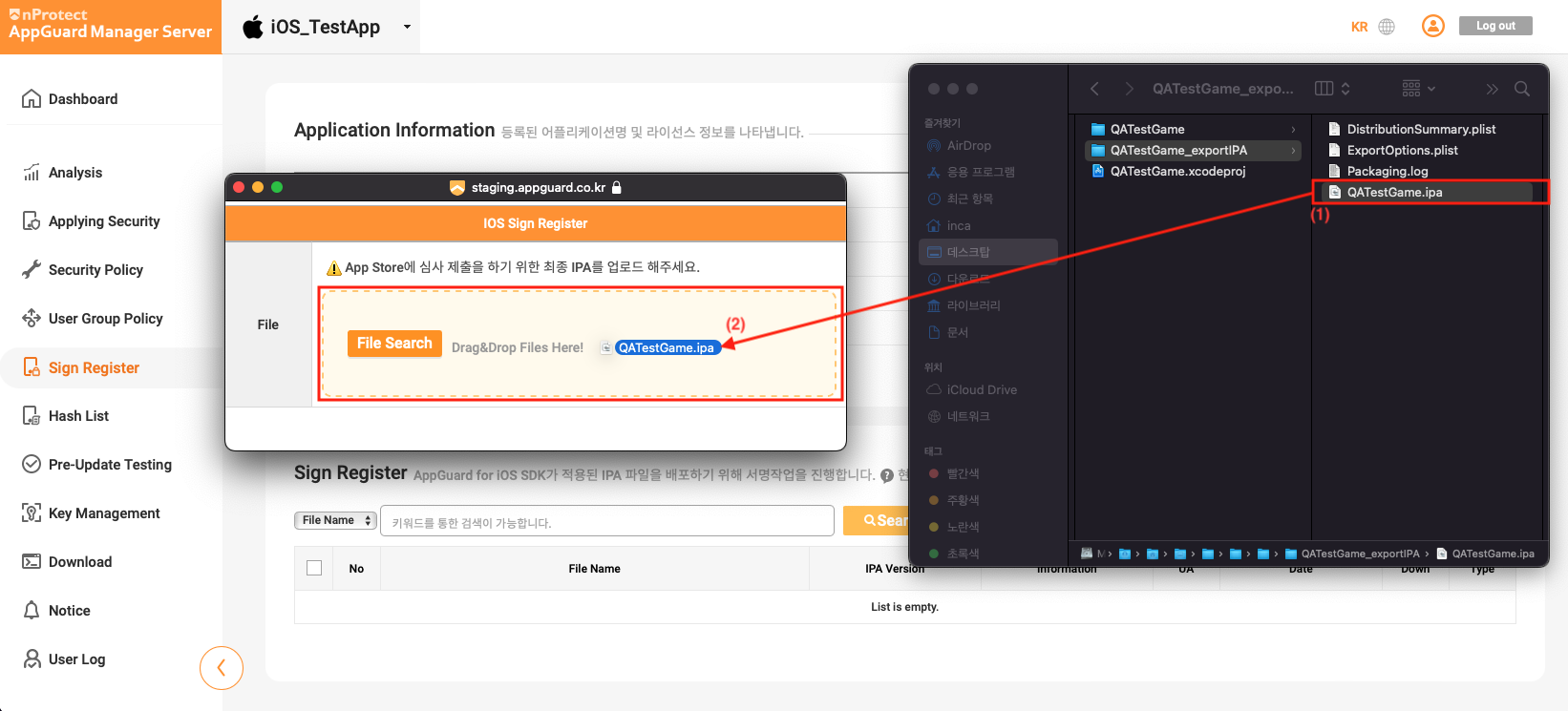
选择要在AppGuard Manager中注册的IPA文件,并将其拖放到**[IOS Sign Register]**窗口中。
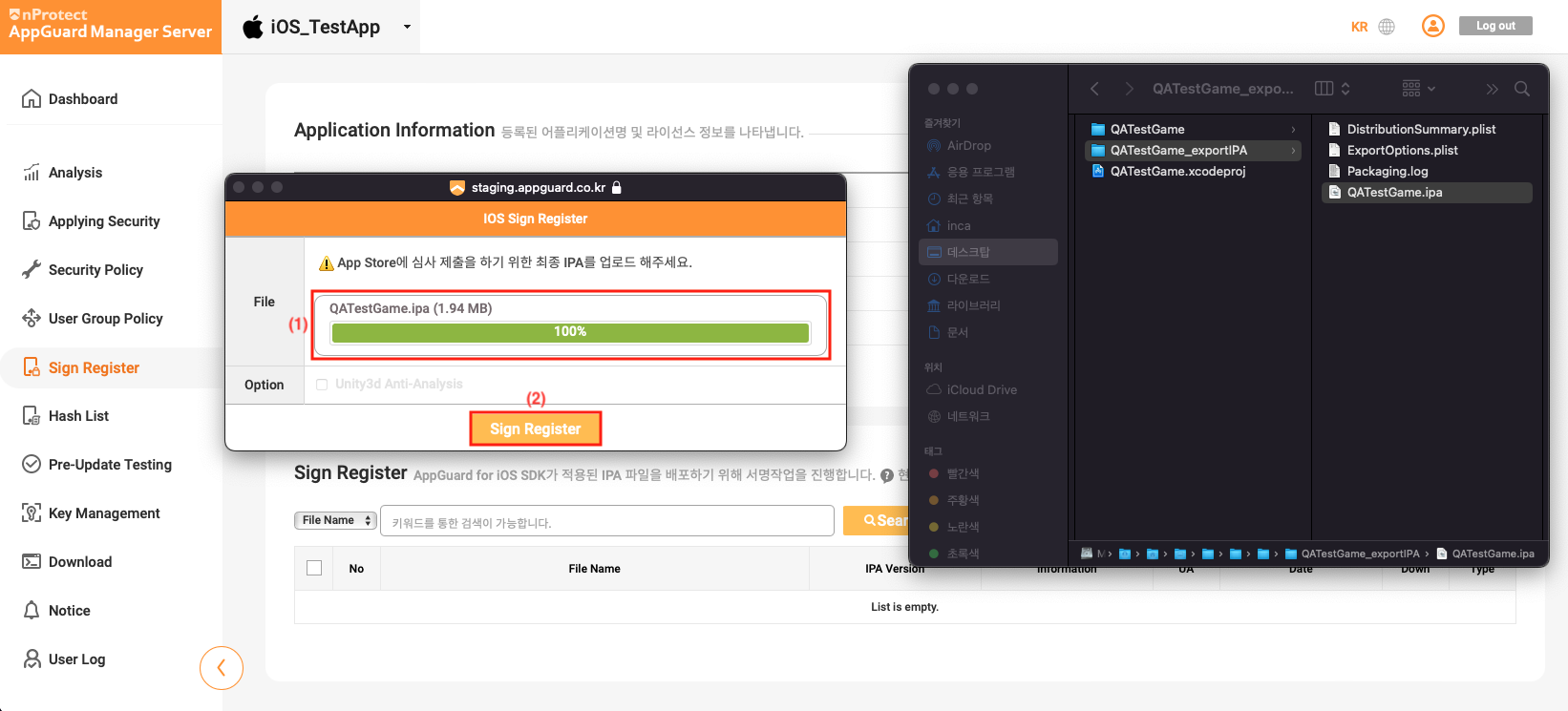
IPA文件上传完成后,点击**[Sign Register]**按钮。
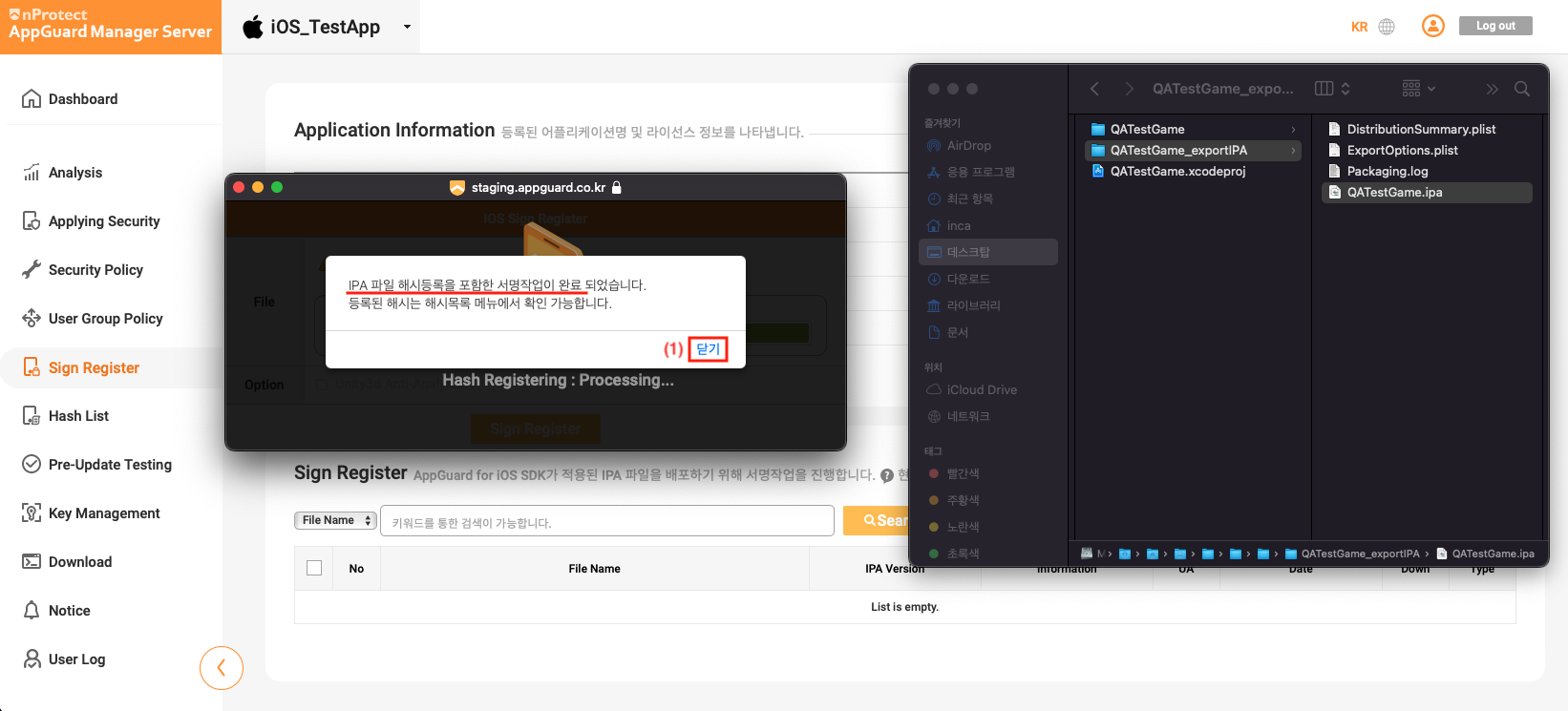
签名操作完成后,点击窗口中的关闭按钮。
注册操作完成后,可以查看注册的内容,并点击Down按钮下载已签名的IPA。
IPA代码签名及分发
应用了AppGuard Sign的IPA需要使用客户公司的分发证书进行代码签名。我们提供了iparesign.sh脚本,以便客户公司能够轻松进行代码签名。
-
创建一个用于代码签名的文件夹,并复制已签名的IPA文件和
iparesign.sh文件。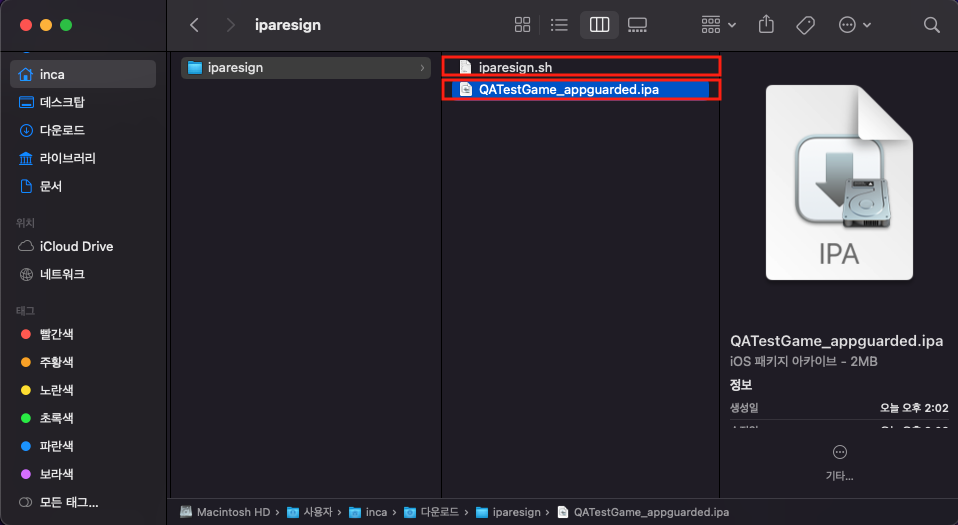
-
打开终端,移动到用于代码签名的文件夹。输入以下命令进行代码签名。
$ cd [iparesign.sh 位置路径]
$ ./iparesign.sh --ipa [/path/to/your_app_appguarded.ipa] -
代码签名过程中会显示分步骤日志。确认是否如以下日志所示正常执行。
1. Check if an ipa file exists
[success] "QATestGame_appguarded.ipa"

2. unzip ipa package
[success] "QATestGame_appguarded.ipa"

. . .

10. codesign the app
/Users/inca/Downloads/iparesign/resigncompleted/Payload/xCode_1402_TestApp.app: replacing existing signature
[success] codesign the app

11. zip the package
[success] "/Users/inca/Downloads/iparesign/resigncompleted/QATestGame_appguarded_resigned.ipa"
(this ipa file has to upload at appstoreconnect.apple.com)
============= resign completed =============
inca@c2211-001Macmini iparesign % -
如果
iparesign.sh正常执行,将生成已应用代码签名的resigncompleted/your_app_appguarded_resigned.ipa文件。可以使用[Transporter]将此文件提交到App Store。
iparesign.sh脚本详细说明
iparesign.sh是一个Shell脚本,提供了使用客户公司的证书轻松对IPA文件进行代码签名的功能。
iparesign.sh --ipa path [--entitlements path] [--profile path] [--identity "Your Signing Identity"] [--out path]
| 选项 | 说明 |
|---|---|
--ipa | 指定要进行代码签名的IPA文件路径。 |
--entitlements | 指定entitlements文件的路径。 |
--profile | 指定用于代码签名的provisioning profile的路径。 |
--identity | 指定用于代码签名的Signing Identity。 |
--out | 指定已完成签名的IPA文件的输出路径。 |
要使用**iparesign.sh**进行代码签名,使用的PC上必须安装有分发证书。